
JLSSS APK for Android: Safe Permission Setup & Error Fixes
To install the 18.4 MB JLSSS APK on Android 8.0 or newer, download the official package in Chrome, tap Open when the file finishes, and toggle on Allow from this source under Install Unknown Apps. Once installed, turn that browser permission back off to keep your Samsung, Xiaomi, OPPO, or realme phone secure.

- Verify file size: The real installer package is around 18.4 MB (never a tiny 1.2 MB exe or zip file).
- Check required Android version: Works on Android 8.0 (Oreo) through Android 15.
- Zero invasive permissions: Never grant access to your phonebook contacts, call logs, or private SMS messages.
- Lock permission after install: Toggle off "Install unknown apps" for Chrome right after setup finishes.
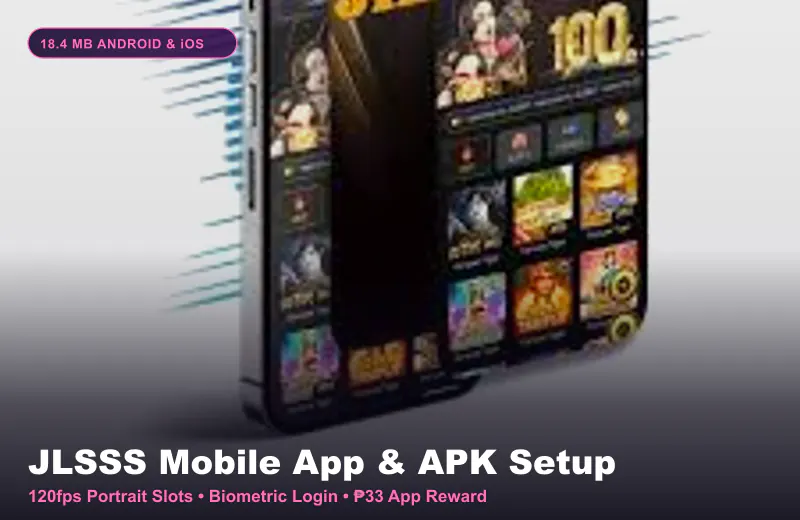
Installing the JLSSS APK on Samsung, Xiaomi, OPPO, vivo, and realme
Most Filipino players carry Android phones from realme, Xiaomi Redmi, Samsung Galaxy, OPPO, vivo, or Infinix. Because each phone brand uses its own custom Android skin (like One UI, HyperOS, or ColorOS), the security popup when installing an APK looks slightly different on each model.
When you tap download on the official mobile page, Chrome will ask if you want to keep the file. After the 18.4 MB download finishes in 4 to 8 seconds on 4G, tap the file name in your browser notification bar to launch the package installer.
If this is your first time installing an app outside the Google Play Store, Android will pause and take you to a single toggle switch for Chrome.
| Phone Brand in PH | Exact Settings Path for APK Permission | Extra Security Step to Watch For |
|---|---|---|
| Samsung Galaxy (One UI) | Settings > Biometrics & Security > Install Unknown Apps > Chrome > Allow | Tap "Install Anyway" if Auto Blocker or Play Protect prompts |
| Xiaomi / Redmi / POCO | Settings > Privacy Protection > Special Permissions > Install Unknown Apps | Wait 5 seconds on the MIUI/HyperOS warning timer, then check "I am aware" |
| OPPO & realme (ColorOS) | Settings > Security & Privacy > More Security Settings > Install Unknown Apps | Confirm with your fingerprint or lock-screen PIN when prompted |
| vivo & Infinix | Settings > Apps & Notifications > Special App Access > Install Unknown Apps | Make sure at least 200 MB of internal phone storage is free |
How to Fix the "App Not Installed" Error on JLSSS APK
About 1 in 10 Android users taps the downloaded APK file, watches the progress bar reach 80%, and then gets hit with a vague "App Not Installed" or "There was a problem parsing the package" message. This error is almost never a server issue, it comes from a corrupted download or an old leftover icon on your phone.
If your mobile data signal dropped for a split second while downloading the 18.4 MB file on a jeepney or bus ride, Chrome saves an incomplete file that fails Android's signature check. Delete the broken file from your Downloads folder and download a fresh copy over a steady signal.
Another common cause is having an older version of the app already sitting on your home screen. Android blocks a new APK if the package signature clashes with an outdated build.
3-Step Fix for "App Not Installed": First, delete any old version of the casino app from your phone. Second, open your Files app and delete old .apk files in your Downloads folder so you have at least 300 MB of free space. Third, download a fresh copy and install it cleanly.
Checking Real vs Fake APK Files Before You Log In
Scammers frequently upload fake APK files into Facebook slot groups and Telegram channels, promising "hacked high-RTP Super Ace" or "free ₱500 APK credit." Let us be blunt: there is no such thing as an APK that alters server-side slot RTP.
Those modified APK files are trojans designed to read your clipboard or overlay a fake GCash deposit screen. Only install the official package from the verified portal, and never grant Accessibility Service or SMS-reading permissions to any gaming app.
Once your app is installed cleanly, head over to our mobile login guide to access your account, or check our ₱33 app bonus walkthrough to see how the new-member reward works in PHP.
Comparing APK Performance vs Mobile Browser on Budget Phones
What if your phone only has 32 GB of storage and is already 95% full with photos, TikTok, and Mobile Legends? In that specific case, forcing an APK install when your storage is full will actually make your phone lag.
Suppose you play PG Soft Mahjong Ways 2 with ₱2 spins on a ₱300 bankroll. If your phone has 500 MB+ of free space, the installed APK gives you smoother 60 FPS reel cascades. If your phone has less than 100 MB free, skip the APK and use a clean Chrome tab with "Add to Home Screen" so you save internal memory.
Common Questions About JLSSS APK
Why does Google Play Protect ask to scan the platform APK file?
Play Protect scans all sideloaded Android apps that are not listed on the Google Play Store. Tap "More details" and then "Install anyway" if you downloaded the official 18.4 MB package.
Can I delete the 18.4 MB .apk installer file after the app is installed?
Yes! Once the app icon is on your Android home screen and opens properly, you can delete the .apk installer file from your Downloads folder to free up 18.4 MB of storage.
Does the Android APK work on Huawei phones without Google Play Services?
Yes. Because the APK is a standalone package that does not rely on Google Play Games services, it runs smoothly on Huawei HarmonyOS and EMUI phones.
What if I use an iPhone instead of an Android phone?
Android .apk files cannot run on Apple iOS devices. Follow our iPhone and iOS setup guide to add the Safari web-clip or iOS Lite profile in 10 seconds.